# HLS起動・1時間後自動停止
sudo systemctl start hls-streaming.service && sleep 3600 && sudo systemctl stop hls-streaming.service
sudo systemctl stop hls-streaming.service
sudo systemctl stop hls-streaming.service && sleep 5 && sudo systemctl start hls-streaming.service
■Termius - Modern SSH Client をインストール
自宅で上記のコマンドを打つのではなく、外出先でこのアプリからコマンドを打てば ThinkPad L380 Ubuntu を操作できる、Tailscale導入必須。
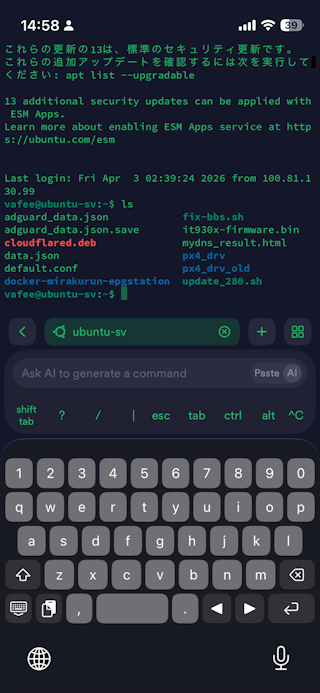 App Store Google Play でインストール⇒Googleで登録⇒無料プラン選択
Host: 100.89.99.23(TailscaleIP)
Port: 22
Username: vafee
Password: パスワード or SSH鍵
Termius スニペットに登録
# HLS起動・1時間後自動停止
sudo systemctl start hls-streaming.service && sleep 3600 && sudo systemctl stop hls-streaming.service
# 停止
sudo systemctl stop hls-streaming.service
#古い画像の繰り返しが起きた場合システム再起動
sudo systemctl stop hls-streaming.service && sleep 5 && sudo systemctl start hls-streaming.service
sudo systemctl start hls-streaming.service && sleep 3600 && sudo systemctl stop hls-streaming.service
# 停止
sudo systemctl stop hls-streaming.service
#古い画像の繰り返しが起きた場合システム再起動
sudo systemctl stop hls-streaming.service && sleep 5 && sudo systemctl start hls-streaming.service
しかし、TV視聴するのは一つのチャンネルだけなのに、8chのチューナー分の映像をエンコードするので、ThinkPad L380 の CPU が Max となり、機能停止状態になり30分も視聴できなかった。
モバイル端末LTE環境でTV視聴改善へ、続く